csshm
Cluster SSH for macOS: type once and it goes to many SSH sessions at the same time.
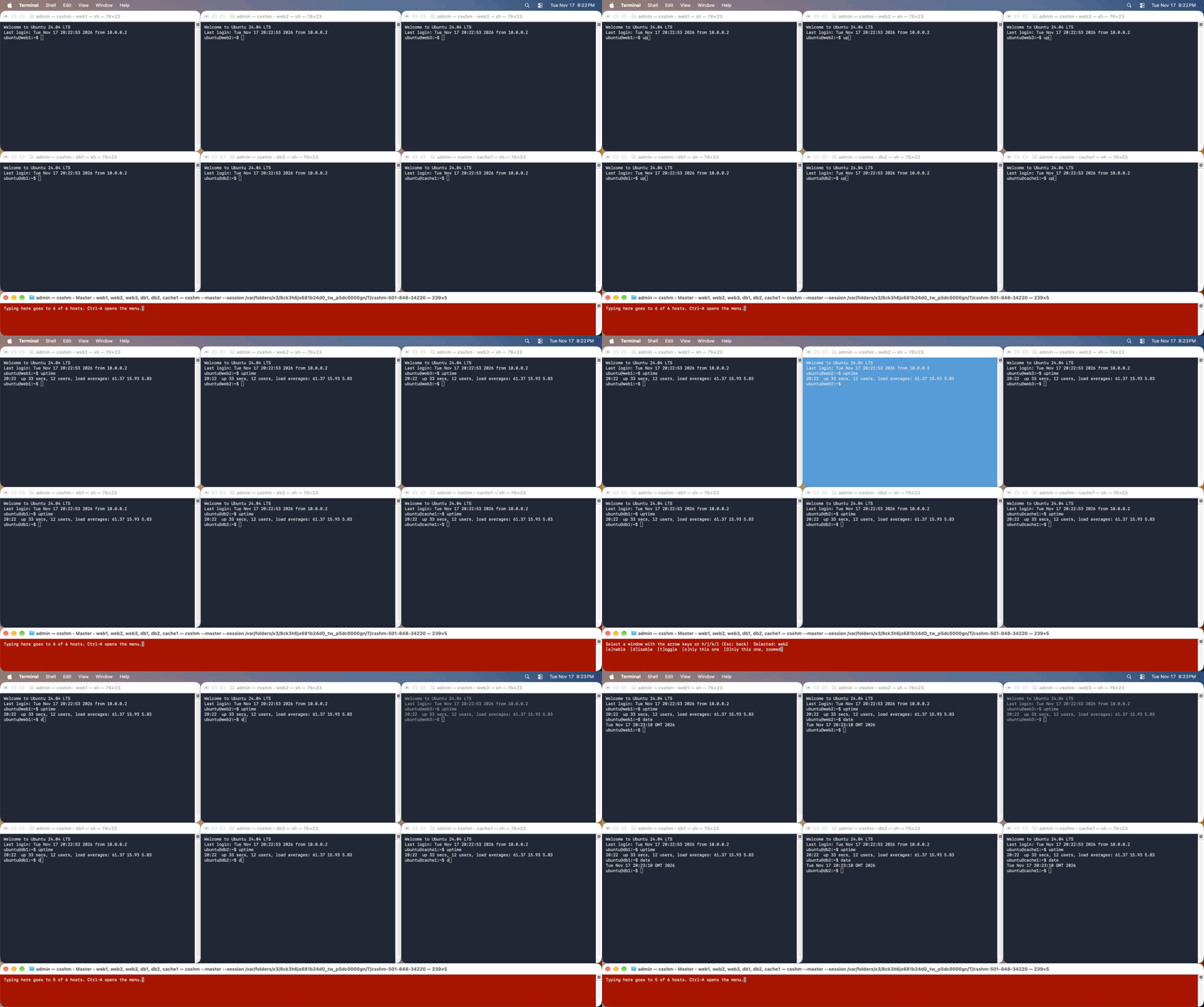
csshm opens one Terminal window per server, tiles them across your monitors and adds a red master window. Whatever you type in the master goes to every server. It is a single binary written in Swift, inspired by csshX and ClusterSSH.
It is not limited to ssh. Any command you want to run side by side across many servers and watch live will do: AWS SSM sessions, docker exec, kubectl exec or whatever else you use to reach a machine.
Install
curl -fsSL https://raw.githubusercontent.com/anarchy89/csshm/main/setup.sh | sh
Or with Homebrew:
brew tap anarchy89/tap
brew trust anarchy89/tap
brew install csshm
It needs macOS 13 or later and works with Terminal.app. On Homebrew older than 7 leave out the brew trust line.
Use
csshm web1 web2 web3
- Type in the red master window and every server receives it.
- Click a server's window and type to reach only that one.
- Press Ctrl-A in the red window for the menu. Ctrl-A then
xcloses everything. - If some servers could not be reached, press Ctrl-A then
ato try just those again. The others stay connected.
csshm --login ubuntu web1 web2 web3              # same user on every server
csshm --ssh_args "-i ~/.ssh/key" web1 web2       # same key on every server
csshm --addresses servers.txt                    # servers from a file, one per line
csshm --screen 1-3 --addresses servers.txt       # spread across monitors 1 to 3
Hosts can also come from another command, such as every EC2 instance that is running:
aws ec2 describe-instances --filters "Name=instance-state-name,Values=running" \
    --query "Reservations[].Instances[].PrivateIpAddress" --output text \
    | tr '\t' '\n' | csshm --login ec2-user
What it does
- Sends what you type to every server at once or to one server when you click its window.
- Tiles dozens of windows across one or several monitors, portrait ones included and tiles them again when you ask.
- Keeps to part of a monitor if you want the rest free (
--bounds) and shows which number each monitor has (--list_screens). - Keeps a failed connection open so you can read the error and tries those servers again with one key while the others stay connected.
- Takes hosts from the command line, from files, from named clusters or from another command's output.
- Takes the same command line as csshX, so old habits and scripts carry over.
- Is not limited to ssh: a command template runs
docker exec,kubectl execor anything else in each window. - Passes chosen environment variables such as
AWS_PROFILEto every window, for AWS SSM and similar setups. - Works with zsh, bash, fish and sh as your login shell.
- Never stores or sends passwords.
- Is one file with nothing else to install, for both Apple silicon and Intel Macs.